
ProductsSoftphoneDesktop app
Conference Calls
Create a three-way conference call by merging calls on CloudPLAY Softphone desktop.
You can create a three-way conference by merging two active calls.
Start a conference
- Place your first call.
- Click Add call (or the + control) to start a second call.
- When the second party answers, click Merge to combine the calls into one conference.
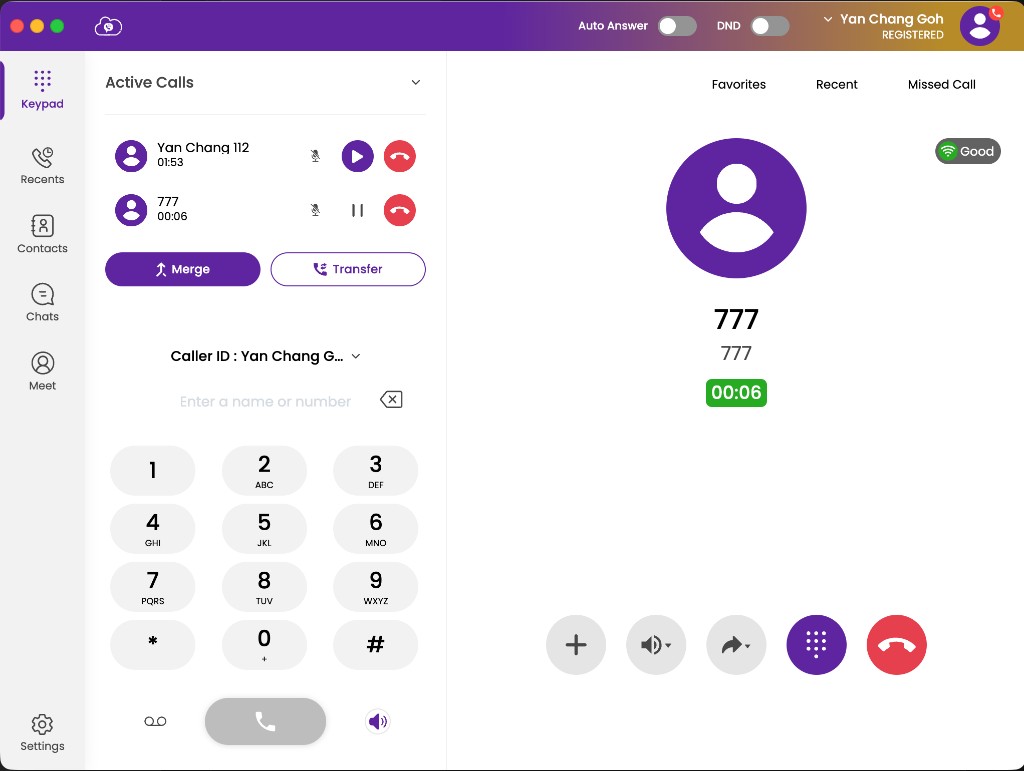
Conference in progress
During a conference, Softphone shows participants and call controls. You can:
- Mute yourself
- Use the in-call dial pad for IVR tones if needed
- End the call when you are finished